The standing file
Meeting transcription accuracy is an audio problem
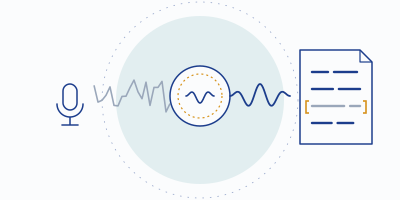
When a transcript comes out wrong, almost everyone blames the AI and shops for a new note-taker. Usually the AI heard exactly what you gave it: a distant mic, two people talking at once, and a dishwasher. This page is about fixing the input — because every tool on our shortlist is downstream of it.
The uncomfortable arithmetic
An AI note-taker is a chain: audio → speech recognition → transcript → summary. Each link consumes the output of the one before it, and no link can add back information the microphone never captured. A summary is written from the transcript, not from the meeting — so a transcription error doesn't just survive into your minutes, it gets paraphrased into confidence. "We might revisit pricing in Q2 if the pilot holds" becomes a transcript mangle becomes a crisp, wrong action item with someone's name on it.
- Audiowhere noise, distance and crosstalk get in
- Speech recognitioncannot add back what the mic missed
- Transcripta copy of what was heard
- Summaryerrors paraphrased into confidence
We refuse to print accuracy percentages for the tools we cover — not because numbers don't exist, but because the honest number depends overwhelmingly on the audio you feed in. The same engine that looks flawless on a podcast mic in a quiet room looks drunk on a laptop mic across a kitchen. Any review quoting one universal accuracy figure is describing their room, not your tool.
What actually breaks transcripts
- Background noise. Speech recognition is trained mostly on speech. Espresso machines, traffic, keyboard clatter and barking dogs push the signal-to-noise ratio down, and recognition quality follows it. Steady noise is bad; intermittent noise — a door, a cough, a notification chime — is worse, because it lands on top of exactly one word, and that word was "not."
- Crosstalk. Two voices at once is the classic killer. Diarization (the who-said-what step — explained in how note-takers work) has to unbraid overlapping speech, and when it fails you get sentences stitched together from two speakers, attributed to a third.
- Distance and echo. Every doubling of the distance to your mic trades direct voice for room reflections. Reverberant audio smears the boundaries between words — human listeners cope; recognizers cope worse.
- Compression stack-ups. Your voice is compressed by the meeting app, sometimes re-compressed on recording. Each pass shaves detail. Fine on top of clean audio; on marginal audio it's the last straw.
- Accents plus noise. Modern engines handle accented English well in clean conditions. Add noise and error rates climb fastest exactly where the model was least certain — noise taxes whatever was already hard.
- Jargon and names. "Kubernetes" survives; your project codename doesn't. Some tools accept custom vocabulary lists — Otter documents team vocabulary on paid tiers — which patch the nouns but not the audio.
The fix list, cheapest first
- Close the distance. Any headset beats any laptop mic across a desk — not because the hardware is exotic but because the geometry is. (We're a software desk; buy whatever headset you like, we have no opinions to sell you.)
- One voice at a time. The cheapest accuracy upgrade in existence is a facilitation habit: let sentences finish. Your diarization will look mysteriously smarter.
- Kill the noise you control. Notifications on silent, window shut, dishwasher on delay. Free, boring, effective.
- Put a noise-cancellation layer in front of the call. This is the software fix for the noise you can't control. Krisp strips background noise at your device before the meeting app and the transcriber hear it — which is why its own note-taker has an unfair advantage: it transcribes the cleaned signal. The free plan's daily hour of noise cancellation (checked 2026-09-20) covers the meeting a day where the minutes actually matter.
- Feed recordings, not memories. Transcribing a meeting after the fact? Use the cleanest recording you have, not the phone-on-the-table version. Import limits apply per tool — Otter's free tier allows three files, lifetime.
- Only then, switch tools. If your audio is genuinely clean and the transcript is still poor, now the tool comparison means something. Start at the shortlist.
Why we harp on this as a review site
Because it changes what you should buy. The instinct after a bad transcript is to climb the pricing ladder — free Otter to Otter Pro, Pro to Business — buying more minutes of the same garbled input. The better spend is usually fixing capture: a noise layer, a closer mic, a facilitation habit, and then the note-taker tier your meeting volume actually needs. Sometimes the answer is even "no new subscription at all" — the fix list above, minus item four, costs nothing.
It also explains our scoreboard. Krisp leads not because its summarizer is magic but because it's the only product on the board where cleaning the audio and transcribing it are the same pipeline, in the right order. That's an architecture judgment from vendor documentation, not a lab result — the distinction matters to us, and our method page explains why.
Give your note-taker something worth transcribing
Krisp cancels the noise at your device, then transcribes the clean signal — unlimited free transcripts, two AI notes a day, a fresh hour of noise cancellation daily.
Noted for the record: this is an affiliate link. A subscription started from it pays MinuteHand a referral fee; your price stays the list price.Fair questions
Can't the AI just clean up the transcript afterwards?
Summarizers smooth over small errors impressively — that's part of the danger. They can't recover words the recognizer never got, and they'll paper over the gap with something plausible. Plausible-but-wrong minutes are worse than visibly rough ones.
Does noise cancellation ever hurt transcription?
Aggressive suppression can clip soft speech onsets — vendors tune against it, but it's not impossible. In practice the trade is heavily favorable: recognizers degrade with noise far faster than with mild suppression artifacts. If you suspect clipping, most tools let you set suppression strength lower.
Which note-taker is most accurate in noise?
The one that receives the least noise. That's not a dodge — it's the whole page. Architecture beats engine choice here: clean the signal first (Krisp's approach), and the remaining differences between major engines shrink below the noise you just removed.