The field guide
Meeting notes without a bot in the room
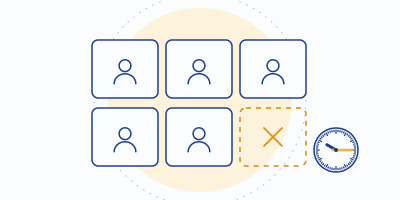
Some rooms don't mind the extra participant with the red dot. Plenty do: candidates stiffen, clients clip their sentences, one director asks whose bot that is and the first four minutes are gone. If your meetings are the second kind, this is the guide to capturing notes without sending a robot to sit in the corner.
Why the bot bothers people
A meeting bot is a disclosure mechanism wearing a trench coat. It's honest — everyone can see "Fred (Fireflies.ai)" in the list — but it's also a stranger at the table whose employer isn't in the room. People don't modulate for a banner; they do modulate for a visible recorder. The result is a strange trade: the most transparent capture method is also the one most likely to change what gets said. (We wrote the longer, funnier version of this in The bot that joined first.)
Bot capture has mechanical annoyances too: it needs an integration per platform, it can land in the waiting room, hosts sometimes have to admit it mid-flow, and back-to-back calls mean a small fleet of your bots wandering your calendar. None of this is disqualifying — Fireflies and Otter built fine businesses on it — but it's why "bot-free" became a feature vendors advertise.
The three bot-free routes
1. Device-level capture — the architectural answer
A tool that already lives between your microphone and your meeting app can transcribe the conversation as it flows through — no participant added, any conferencing app supported, because to the meeting software it's just an audio device. This is Krisp's AI Meeting Assistant: the same desktop plumbing that cancels noise also records, transcribes and summarizes, with unlimited transcripts and two AI notes a day on the free plan (checked 2026-09-20). It's the only shipping, non-beta version of this architecture on our board — and it has the side benefit that what gets transcribed is the noise-cancelled signal, which is most of the accuracy battle per our accuracy file.
2. Bot-free modes from bot-first tools
Fathom now offers bot-free capture, labeled beta on its pricing page as of our check. Beta means beta: verify it against your setup before a call that matters, and expect the bot path to remain the default for a while. It's a welcome direction — the category clearly heard the feedback.
3. Record, then upload
The oldest route: capture the meeting with whatever you legitimately have — the platform's own recording, a local recorder — and feed the file to a transcription tool afterwards. Every tool we cover accepts uploads within plan limits (Otter's free tier: three files, lifetime; Fireflies ties uploads to storage). The loop is slower and you must remember to do it, but for occasional needs it beats a subscription's worth of bot.
The obligation that doesn't go away
We'll say it bluntly, because this page will attract the wrong reader occasionally: if the appeal of bot-free capture is that nobody will know, you're not looking for a note-taker, you're looking for trouble. The legitimate appeal is that everybody knows — because you said so — and nobody has to perform for a robot in the participant list.
Choosing your route
| Route | Best for | Cost to start | The catch |
|---|---|---|---|
| Krisp device-level | Everyday meetings, any app, noise in the mix | $0 (free plan) | Desktop install; 2 free AI notes/day |
| Fathom bot-free beta | Fathom users who want the bot gone | $0 (free plan) | Beta label; verify before big calls |
| Record + upload | Occasional transcription, existing recordings | $0 within plan meters | Slow loop; import caps bite |
And a fourth route deserves its dues: a human with a pen — costs nothing, offends nobody, and for a six-person decision meeting a designated note-taker plus a shared doc is still a formidable system. We run an affiliate site and we just recommended a pen; our method page explains why we do that sort of thing.
Notes with no seat at the table
Krisp captures at your device — any meeting app, no bot, noise cancelled before transcription. Free plan: unlimited transcripts, two AI notes a day.
Noted for the record: this is an affiliate link. A subscription started from it pays MinuteHand a referral fee; your price stays the list price.Fair questions
Do platform recording banners still appear with device-level capture?
Generally no — the meeting platform doesn't know a recording is happening on your device, which is precisely why your verbal announcement carries the whole disclosure load. Say the sentence.
Is device-level capture allowed by the meeting platforms?
Krisp operates as a system audio device, a category platforms support by design. Whether your organization allows it is a policy question — IT departments have opinions about recording tools, and asking first beats explaining later.
What about the other participants' note-takers?
Assume symmetric rules: anything you may capture, they may capture. Which is the strongest argument for normalizing the announcement habit — you'd want to know, so tell.