Review · no affiliate relationship
Otter.ai review: the famous transcript, on a meter
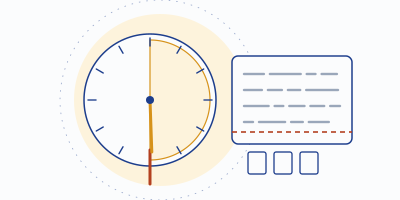
Otter is the note-taker your colleagues have already heard of, and its live transcript remains the best show-and-tell in the category. It's also the most tightly metered tool on our shortlist, and the meters — not the features — are what should decide whether it fits you.
Disclosure: MinuteHand has no affiliate relationship with Otter — every Otter link here is a plain link that pays us nothing. Elsewhere on this site some links are affiliate links, always marked. Claims below come from Otter's published pricing and plan pages, checked 2026-09-20.
What Otter is
Otter.ai is a cloud transcription and meeting-notes service. It records meetings either through its own apps or by sending OtterPilot — its meeting bot — into Zoom, Teams, or Meet calls, then produces a live transcript you can watch scroll during the meeting, plus AI summaries, action items, and a chat assistant that answers questions across your conversations. Of everything on our board, it's the tool most shaped like "a transcript you read while it's happening," and for some workflows — interviews, lectures, panel notes — that live view is the entire point.
The plans, with the numbers that matter
| Plan | Price | Transcription meter | Per-meeting cap | File imports |
|---|---|---|---|---|
| Basic (free) | $0 | 300 min/month | 30 minutes | 3 — lifetime |
| Pro | $8.33/mo annual · $16.99 monthly | 1,200 min/month | 90 minutes | 10/month |
| Business | $19.99/mo annual · $30 monthly | Unlimited meetings | 4 hours | Unlimited |
| Enterprise | Custom | Custom | Custom | Custom |
Read that free row twice, because it's where most Otter disappointment is manufactured. Three hundred minutes a month sounds like ten hours of meetings; the 30-minute per-conversation cap is the real constraint. A standup fits. A sprint planning session gets cut off mid-sentence, politely and irreversibly. And the three file imports are a lifetime allowance — upload three voice memos in your first week and that feature is spent forever on the free tier.
Pro loosens the belt to 1,200 monthly minutes and 90-minute meetings, which covers most calendars — until the quarterly all-hands or a three-hour workshop runs into the ceiling. Business is where the meters finally come off. Note the billing spread, too: Pro at $8.33 on annual billing nearly doubles to $16.99 month-to-month, the steepest monthly penalty on our board.
What it does well
- The live transcript. Watching accurate-ish text appear as people speak is still Otter's signature trick, and it's genuinely useful for highlighting a decision the moment it happens.
- Summaries and action items. Post-meeting summaries are tidy, and the AI chat can answer "what did we decide about the launch date?" across past meetings.
- Familiarity. Guests recognize Otter. In consent conversations (which you should be having), a known name lands softer than a mystery bot.
- Speaker identification. Tag a voice once and Otter keeps attributing it, which makes minutes read like minutes instead of a monologue.
Where it falls down
- The meters, everywhere. Minutes per month, minutes per meeting, imports per lifetime. You will meet these limits in ordinary use — that's what they're for.
- Bot-centric capture. OtterPilot occupies a participant slot with your name on it. Some rooms don't care; some visibly stiffen. There's a whole quieter genre if yours is the second kind.
- Noise goes straight to the transcriber. Otter transcribes whatever audio the meeting delivers, café clatter included. Garbage in, garbled out — the accuracy problem is upstream, and Otter ships nothing to fix it.
- Cloud-only processing. There's no on-device transcription option at any tier; if that matters to you, see our privacy rundown.
Who Otter actually suits
Short-meeting people. If your calendar is 25-minute calls, interviews under half an hour, or lectures you attend with the app open, Basic's meters may genuinely never bite, and you'll be using the category's most polished live transcript for nothing. Journalists and students have stayed loyal to Otter for exactly this shape of use. Teams with long meetings and CRM plumbing needs are better served by Fireflies — the direct comparison is in Otter vs Fireflies — and anyone whose transcripts come out messy because their audio goes in messy should look at Krisp, which cleans the signal before transcribing it.
Verdict
6.2 / 10 on our rubric — good tool, tight meters
Otter scores 8 on notes features and holds the best live transcript in the business, but free-tier depth (5) and transcription limits (6) drag the total on a board where two rivals hand out unlimited transcription for $0. Scores are computed by our published rubric (tools/score.py) — weights and working on the shortlist.
Visit Otter.ai (direct link — no affiliate relationship; we earn nothing if you sign up)
Fair questions
Does Otter work without the bot joining?
You can record directly in Otter's apps rather than sending OtterPilot into a call — that's app recording, not bot capture. But for the standard "it joins my Zoom automatically" workflow, the bot is the mechanism, visible in the participant list.
Is the free plan enough to evaluate it?
Yes, if you evaluate within its shape: meetings under 30 minutes, 300 total minutes for the month. Test it on real short calls rather than one long one that gets truncated.
Why don't you publish an accuracy percentage?
Because we didn't measure one, and one-room tests produce numbers that mislead more than they inform. Accuracy tracks your audio quality more than your vendor choice — here's the full argument.